PicsArt vs Snapseed: Full Comparison Guide
Photo editing apps often overlap in features but differ in depth and style. PicsArt and Snapseed are both popular choices for mobile photo editing. PICSARTPROAPK.COM compares both apps to help you choose the right one for your needs.
Overview of Both Apps
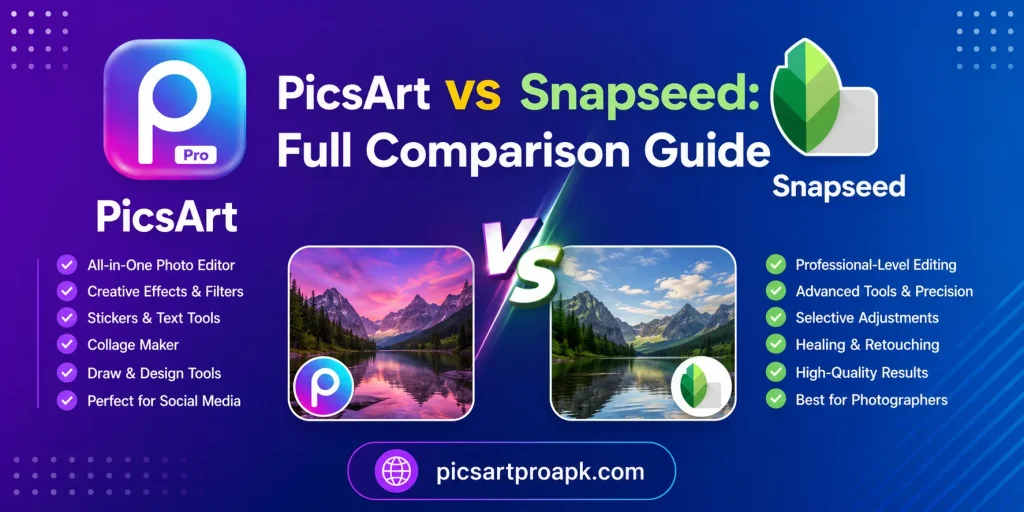
PicsArt combines photo editing with creative tools like stickers, collage, and AI features. Snapseed focuses purely on photo correction with a simple and clean interface. This core difference affects which app suits your editing style.
What PicsArt Offers
PicsArt provides tools for background removal, AI replace, and creative effects beyond basic correction. It suits users who want to design as much as they edit. The app also supports video editing and social sharing features.
What Snapseed Offers
Snapseed focuses on precise adjustments like curves, selective color, and healing tools. It works well for users who want strong photo correction without extra design features. The app has a minimal interface built around editing precision.
Feature Comparison Table
The table below shows key differences between both apps.
| Feature | PicsArt | Snapseed |
|---|---|---|
| Photo Correction | Strong with AI support | Very strong and precise |
| Creative Tools | Stickers, collage, drawing | Limited creative tools |
| Background Removal | One click AI tool | Not available |
| Video Editing | Built in tool included | Not available |
| Interface | Feature rich, slightly busy | Clean and minimal |
| File Size | Larger app size | Smaller and lightweight |
Photo Correction Comparison
Photo correction quality is often the deciding factor for many users.
PicsArt Correction Tools
PicsArt offers adjustment tools for contrast, saturation, and shadow control. AI powered features like image enhancer improve quality with one tap. This makes correction quick even for users with little editing experience.
Snapseed Correction Tools
Snapseed provides advanced tools like curves and selective adjustment for detailed control. Users can target specific areas of a photo for precise correction. This app is often preferred by users who enjoy manual fine tuning.
Creative Tools Comparison
Beyond correction, creative features add extra value depending on user needs.
PicsArt Creative Features
PicsArt includes stickers, text styles, collage making, and drawing tools. Users can combine multiple photos and design elements in one project. This makes it a stronger choice for social media content creation.
Snapseed Creative Features
Snapseed offers limited creative tools compared to PicsArt. The focus remains on healing, double exposure, and basic frame options. Users looking for design heavy content may find this app limiting.
AI Tools Comparison
Artificial intelligence adoption differs greatly between these two apps.
- PicsArt AI Tools: Background removal, AI replace, image generator, and avatar creation
- Snapseed AI Tools: Basic auto correction and smart healing brush
- Best For AI Heavy Editing: PicsArt due to a wider range of AI features
- Best For Manual Precision: Snapseed due to detailed adjustment control
Ease of Use Comparison
App simplicity affects how quickly new users can start editing.
PicsArt Learning Curve
PicsArt has many tools which can feel overwhelming at first for new users. Once familiar, the app offers fast access to both editing and design features. PICSARTPROAPK.COM provides simple guides to help new users learn faster.
Snapseed Learning Curve
Snapseed has a cleaner layout which makes it easier to start using immediately. The limited tool set means less time spent searching for features. This app suits users who prefer simplicity over variety.
Which App Should You Choose
Your choice should depend on the type of editing you do most often.
- Choose PicsArt for creative design along with photo correction
- Choose Snapseed for precise and detailed manual photo correction
- Choose PicsArt for background removal and AI powered features
- Choose Snapseed for a lightweight and distraction free editing experience
- Consider both apps together for different editing stages
App Size and Performance Comparison
Device storage and performance can influence which app feels smoother during daily use.
PicsArt Performance
PicsArt’s larger feature set means a bigger app size and slightly higher storage requirement. Older or lower spec devices may experience some lag when using AI heavy features. PICSARTPROAPK.COM recommends keeping the app updated for the best performance.
Snapseed Performance
Snapseed’s lightweight design makes it run smoothly even on older devices. The smaller app size also means faster loading times for quick edits. This efficiency appeals to users who prioritize speed over extra features.
Export and Sharing Options
Both apps provide ways to export and share finished photos, though with some differences.
PicsArt Export Options
PicsArt supports direct sharing to social media platforms alongside standard gallery saving. Users can also export in multiple resolutions depending on their intended use. This flexibility supports both casual sharing and professional project needs.
Snapseed Export Options
Snapseed offers straightforward export options focused mainly on saving to the device gallery. The app keeps sharing simple without excessive additional options. This matches its overall philosophy of streamlined, focused functionality.
Who Should Choose Each App
Different user types tend to prefer one app based on their specific editing habits.
- Photographers focused on precise correction often prefer Snapseed
- Content creators needing variety often prefer PicsArt
- Casual users wanting quick simple edits may prefer Snapseed
- Social media managers creating diverse content often prefer PicsArt
- Users combining both apps get correction depth and creative variety together
Community and Support Comparison
Community involvement and support resources differ between the two platforms.
PicsArt Community and Support
PicsArt features an active in app community for sharing edits and gaining feedback. Extensive online tutorials and guides are also widely available for new users. This support network helps users learn advanced features more quickly.
Snapseed Community and Support
Snapseed has a smaller but dedicated user base focused on photography enthusiasts. Support resources exist mainly through third party tutorials rather than in app community features. Users seeking a straightforward tool without social elements may prefer this approach.
Frequently Asked Questions
Is Snapseed better than PicsArt for correction? Snapseed offers more precise manual tools for correction work. PICSARTPROAPK.COM notes that PicsArt balances correction with added creative features.
Does PicsArt have all Snapseed features? PicsArt covers basic correction well but Snapseed offers deeper manual control in some areas. Both apps serve slightly different editing goals.
Which app is better for beginners? Snapseed’s simple layout suits beginners focused only on correction. PicsArt suits beginners who also want design and creative tools.
Can I use both apps together? Yes, many users edit in Snapseed first and then add creative elements in PicsArt. This combination often gives the best of both worlds.
Final Thoughts
PicsArt and Snapseed both offer strong photo editing but serve different priorities. PicsArt suits users who want creativity alongside correction while Snapseed suits those who want precise manual control. Visit PICSARTPROAPK.COM to download PicsArt and explore its full range of editing tools.