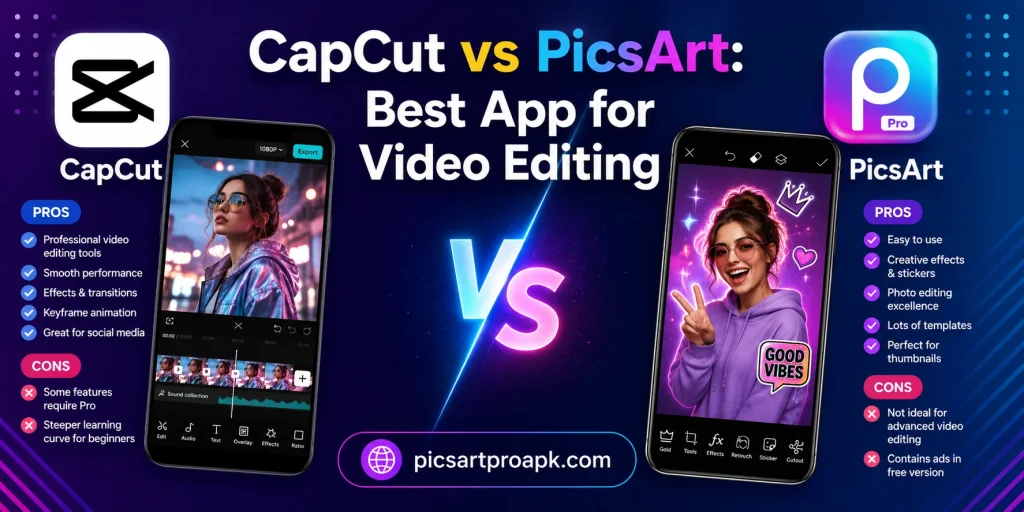
CapCut vs PicsArt: Best App for Video Editing
Video content continues to grow across social media platforms every year. Choosing the right editing app can shape how professional your videos look. PICSARTPROAPK.COM compares CapCut and PicsArt to help you pick the best tool for video editing.
Overview of Both Apps
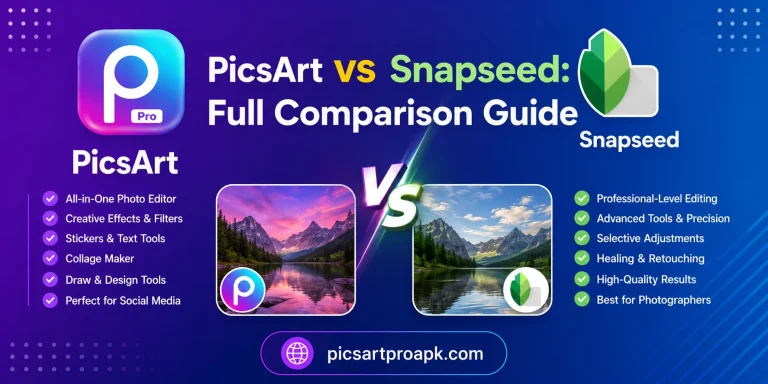
CapCut is a dedicated video editing app known for transitions, effects, and trending templates. PicsArt combines photo and video editing along with AI tools in a single platform. This difference in focus shapes the strengths of each app.
What CapCut Offers
CapCut provides advanced video tools like keyframes, transitions, and text animations. It is popular among creators making short videos for social platforms. The app also includes trending templates that update frequently.
What PicsArt Offers
PicsArt includes basic to moderate video editing tools alongside its photo editing suite. Users can trim, add music, and apply filters within the same app used for photos. This makes it convenient for users who edit both photos and videos together.
Feature Comparison Table
The table below shows the main differences between both apps.
| Feature | CapCut | PicsArt |
|---|---|---|
| Video Editing Depth | Advanced and detailed | Basic to moderate |
| Transitions | Wide variety available | Limited options |
| Templates | Frequently updated trends | Fewer video templates |
| Photo Editing | Not the main focus | Strong photo tools included |
| AI Features | Auto captions, effects | AI replace, avatar, image tools |
| App Focus | Video only | Photo and video combined |
Video Editing Depth Comparison
Editing depth matters most for creators focused on video content.
CapCut Video Tools
CapCut offers keyframe animation, speed control, and layered editing for detailed projects. Creators can add multiple text and effect layers with precise timing control. This makes it a strong choice for users serious about video editing.
PicsArt Video Tools
PicsArt covers basic needs like trimming, filters, and simple transitions. It works well for quick videos without complex editing requirements. Users who also edit photos may prefer this app for convenience.
Templates and Trends Comparison
Trending templates help creators keep up with fast changing social media styles.
- CapCut Templates: Frequently updated to match viral trends and challenges
- PicsArt Templates: Available but with fewer video specific options
- Best For Trend Following: CapCut due to its focus on video trends
- Best For Mixed Content: PicsArt due to combined photo and video templates
AI Features Comparison
Artificial intelligence tools are becoming common in both photo and video apps.
CapCut AI Features
CapCut offers auto captions, background removal for video, and smart effects. These tools save time during the editing process for social content. The AI focus here supports faster video production.
PicsArt AI Features
PicsArt includes AI replace, avatar creation, and image generation mainly for photos. Some AI tools extend to basic video enhancement as well. PICSARTPROAPK.COM highlights this cross tool AI support as a unique advantage.
Ease of Use Comparison
Simplicity affects how quickly creators can produce content regularly.
CapCut Learning Curve
CapCut has a slightly steeper learning curve due to its many advanced tools. Once learned, it allows fast and professional looking video production. Tutorials are widely available due to its popularity among creators.
PicsArt Learning Curve
PicsArt feels familiar for users already editing photos within the app. Video tools are simple enough for quick edits without extra learning. This convenience appeals to users who do not want to switch between apps.
Which App Should You Choose
Your choice depends on how much video editing depth you need.
- Choose CapCut for advanced video editing and trending templates
- Choose PicsArt for combined photo and video editing in one app
- Choose CapCut for detailed transitions and keyframe control
- Choose PicsArt for quick video edits alongside photo projects
- Consider using both apps for different stages of content creation
Audio and Music Tools Comparison
Sound plays a major role in how engaging a video feels to viewers.
CapCut Audio Tools
CapCut includes an extensive built in music library along with sound effect options. Auto captioning based on audio detection also saves significant editing time. These tools make CapCut a strong choice for audio focused video content.
PicsArt Audio Tools
PicsArt offers a smaller music library sufficient for basic video projects. Users needing extensive audio customization may need to import external tracks. PICSARTPROAPK.COM notes that PicsArt’s audio tools work well for simple social content.
Export Quality and Formats
Final video quality depends heavily on export settings available within each app.
CapCut Export Options
CapCut supports high resolution exports up to 4K on capable devices. Multiple frame rate options also allow flexibility for different platform requirements. This makes it suitable for creators prioritizing top tier video quality.
PicsArt Export Options
PicsArt provides solid export quality suitable for most social media platforms. While it may not match CapCut’s highest resolution options, results remain sharp for typical use cases. Standard export settings cover the needs of most casual and semi professional creators.
Who Should Choose Each App
Certain user types benefit more from one app depending on their specific video needs.
- Serious video creators often benefit more from CapCut’s advanced tools
- Casual content creators may find PicsArt’s simplicity sufficient
- Users editing both photos and videos often prefer PicsArt for convenience
- Trend focused creators often prefer CapCut for its updated templates
- Small business owners may use either depending on content complexity
Learning Resources and Support
Available tutorials and community support can speed up the learning process for new users.
CapCut Learning Resources
CapCut has extensive tutorial content available due to its massive creator community. Many popular video creators share tips specifically for this app. This wide resource pool helps users quickly master advanced features.
PicsArt Learning Resources
PicsArt offers guides covering both photo and video editing within one platform. PICSARTPROAPK.COM provides additional tutorials to help users maximize the app’s video capabilities. This combined resource approach suits users learning multiple editing skills together.
Frequently Asked Questions
Can PicsArt replace CapCut for video editing? PicsArt handles basic video needs well but lacks CapCut’s advanced tools. PICSARTPROAPK.COM suggests using PicsArt for simple edits and CapCut for detailed projects.
Is CapCut better for professional video content? Yes, CapCut’s advanced features suit creators aiming for polished professional videos. PicsArt suits casual or quick video editing needs.
Does PicsArt support video templates? PicsArt offers some video templates, though fewer compared to CapCut’s frequently updated library.
Can I use PicsArt and CapCut together? Yes, many creators edit photos in PicsArt and finalize videos in CapCut for the best results from both apps.
Final Thoughts
CapCut and PicsArt both serve video editing needs but at different levels of depth. CapCut suits creators focused purely on advanced video content while PicsArt suits those who want photo and video tools together. Visit PICSARTPROAPK.COM to download PicsArt and try its combined editing features today.